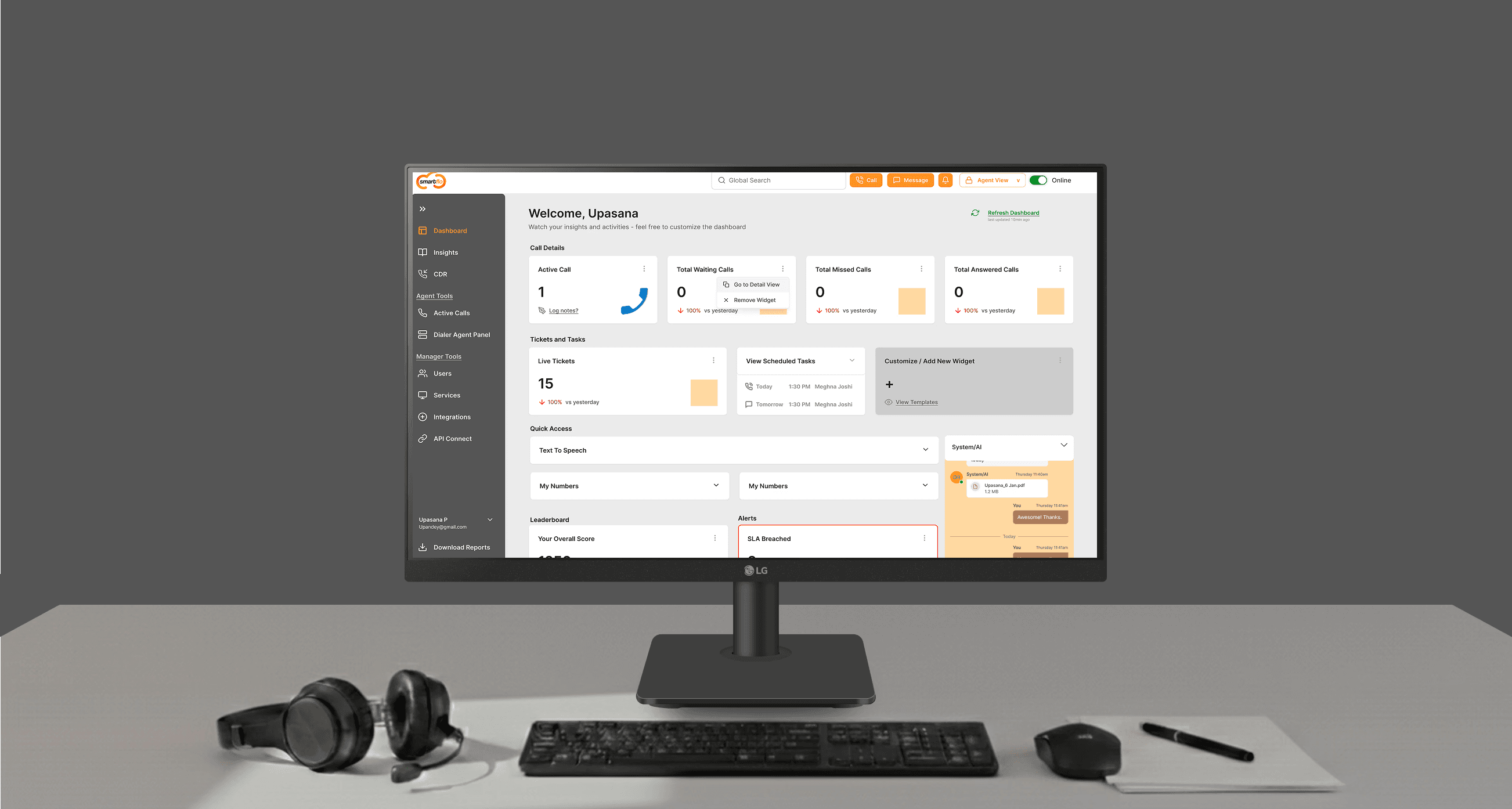
Customizable dashboard for call center teams —
designing for speed and clarity in high-pressure workflows
Role
UX/UI Design
Duration
1 week
Tools
Figma, FigJam,
AI-assisted tools
About Tata Tele (Client)
Tata Tele Business Services is a leading Indian telecom provider that offers enterprise communication solutions like cloud calling, internet services, and contact center platforms.
Drag to see the before and after
Business Context
This project focused on reducing operational friction by redesigning Smartflo’s core dashboard into a role-aware, decision-led workspace for real-world contact center use.
What is CCaaS?
CCaaS - Cloud Calling as a Service is a modern upgrade to traditional call centers, enabling businesses to manage calls, messages, IVR, and reporting through a single platform.
What is Smartflo?
Smartflo is a CCaaS product by Tata Tele. The telecom and CCaaS market in India is highly competitive, with multiple lower-cost and feature-rich alternatives. Smartflo was facing challenges in user adoption and day-to-day usability, particularly for agents and managers operating under high pressure.
Design Process
①
Research — Secondary Research on CCaaS and SmartFlo workflows, supplemented by user interviews and public forum research to identify pain points.
②
Audits — Heuristic evaluation of current UI and empathy mapping for Agents and Managers to find friction in daily tasks.
③
Define — Established "How Might We" statements to focus on speed for agents and actionable data for managers.
④
Prototype — Redesigned the Dashboard with a focus on hierarchy and clarity

Research — Empathy Mapping
Agent
Frontline user handling inbound and outbound calls daily using Smartflo. Operates under constant performance pressure and close supervision, and is directly impacted by speed, reliability, and interface clarity.
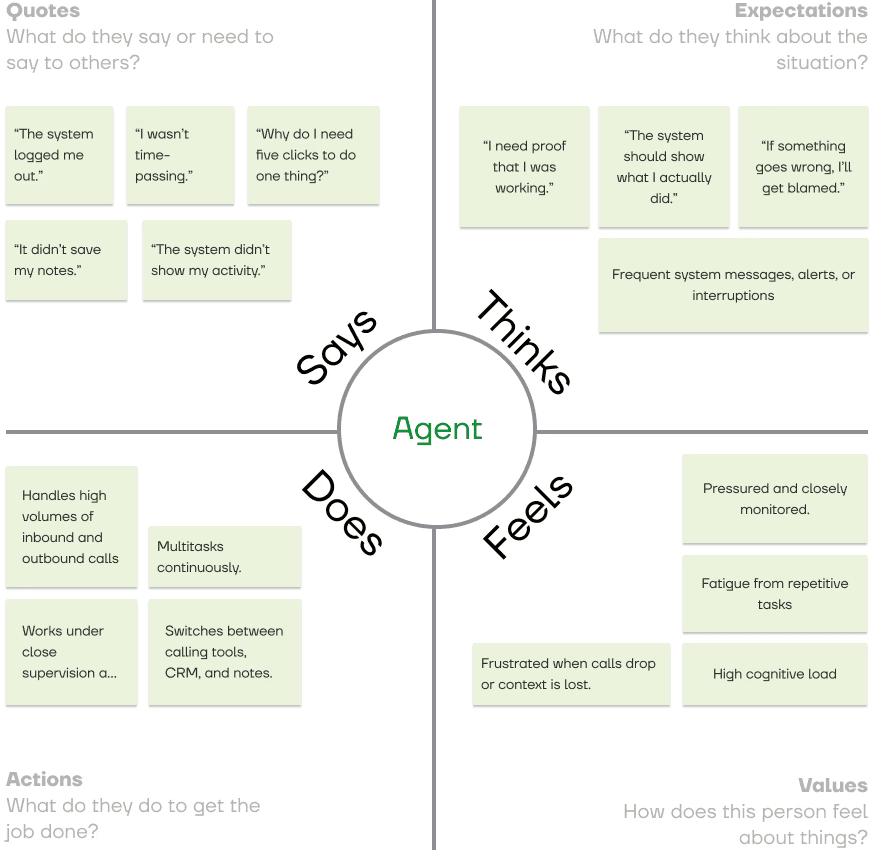
Agent empathy highlights the importance of continuity, findability, and trust in system records, informing decisions around recent activity visibility and simplified navigation.
Insights
Needs
speed + survival
Feels
observed, pressured and stressed
Wants
the system to be their witness
Values
predictable systems
Manager
Mid-level operational user responsible for monitoring agent performance, ensuring SLA adherence, resolving disputes, and maintaining team productivity.
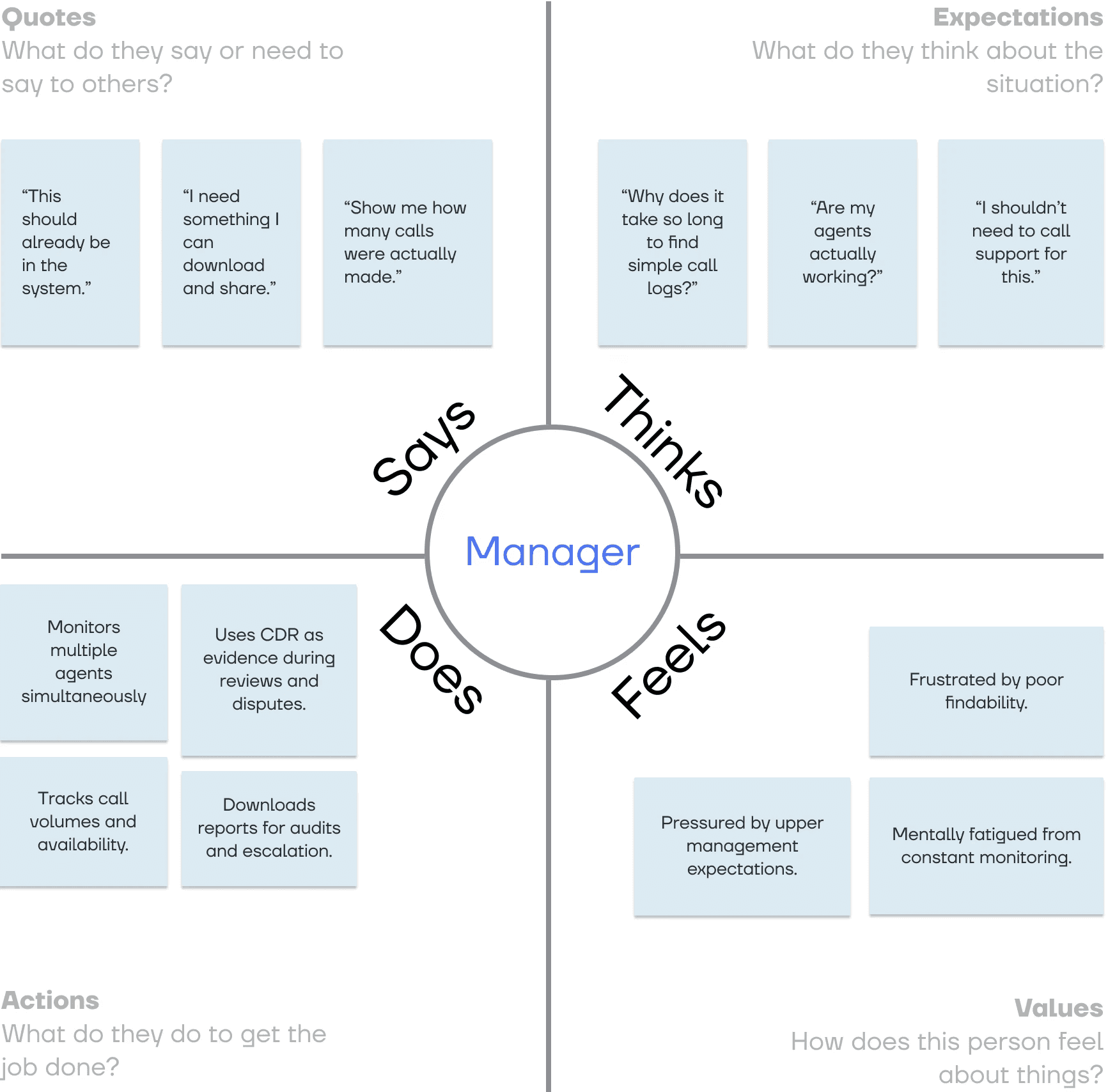
Manager empathy highlights the need for evidence-driven oversight and rapid issue identification over visually dense dashboards.
Insights
Needs
control, accountability and proof
Sees
data everywhere and wants clarity in that
Wants
the system to be truthful
Values
hierarchy
Audits — Heuristic Evaluation of Current Screens
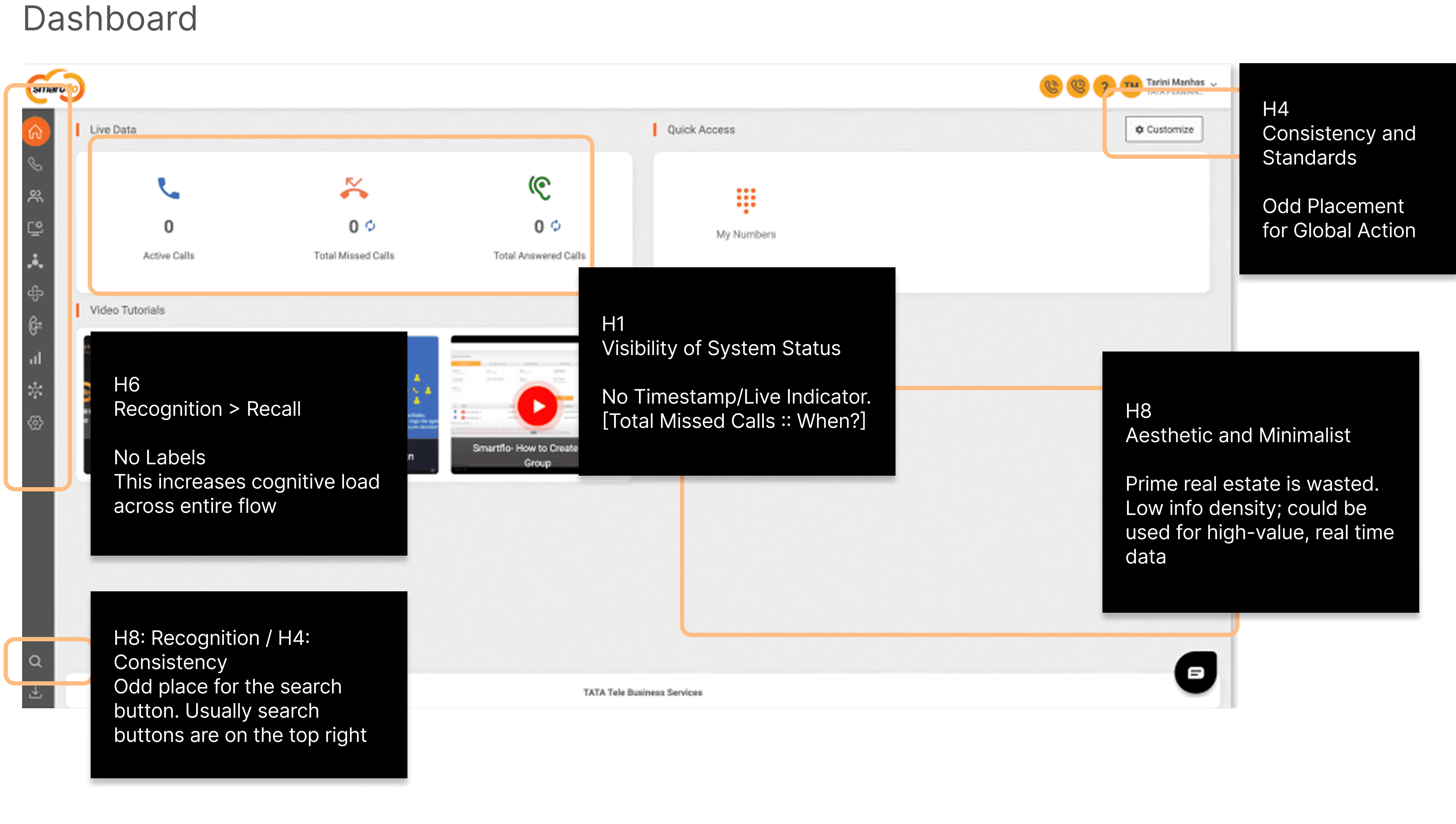
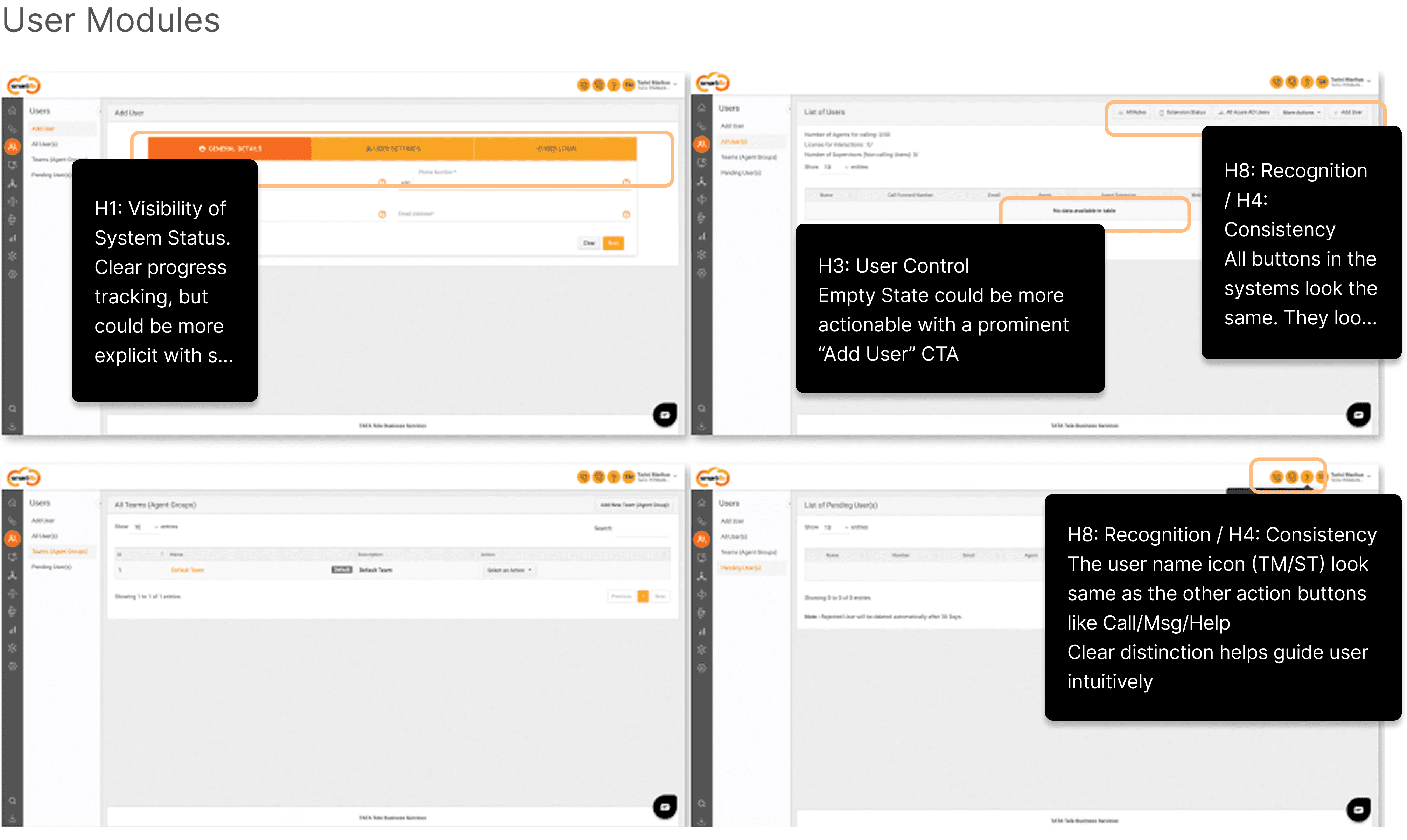
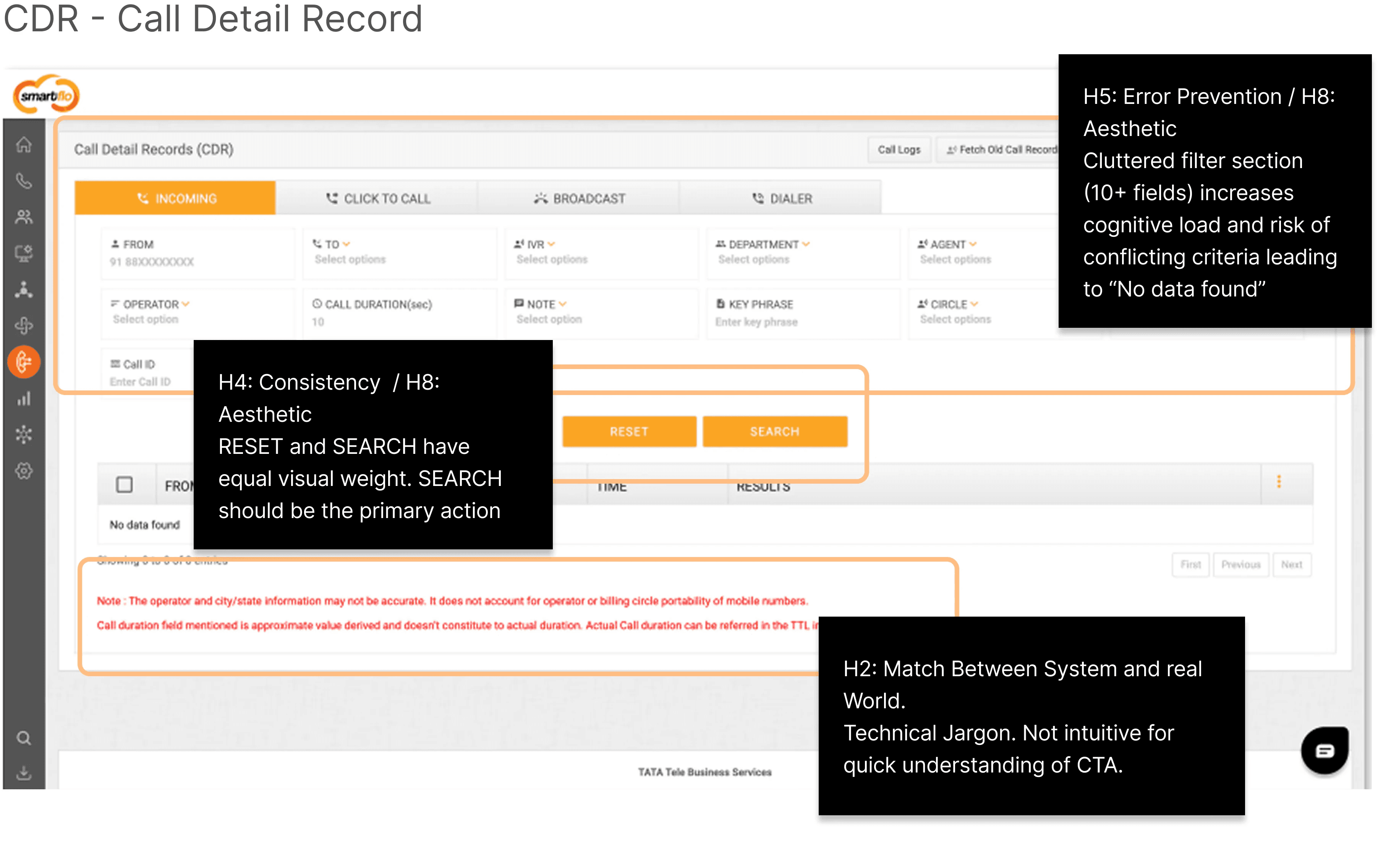
Audits — Insights
Across the Dashboard, CDR, and User Management modules, the heuristic evaluation reveals a common theme:
Functional completeness without sufficient hierarchy.
Clarity, or decision support creating friction in high-pressure operational contexts.
Strong need for categorization is needed across all fields - nav bar, filters, dashboards.
Need to create journeys and flows in detail to solve the operational pains.
External CCaas Review
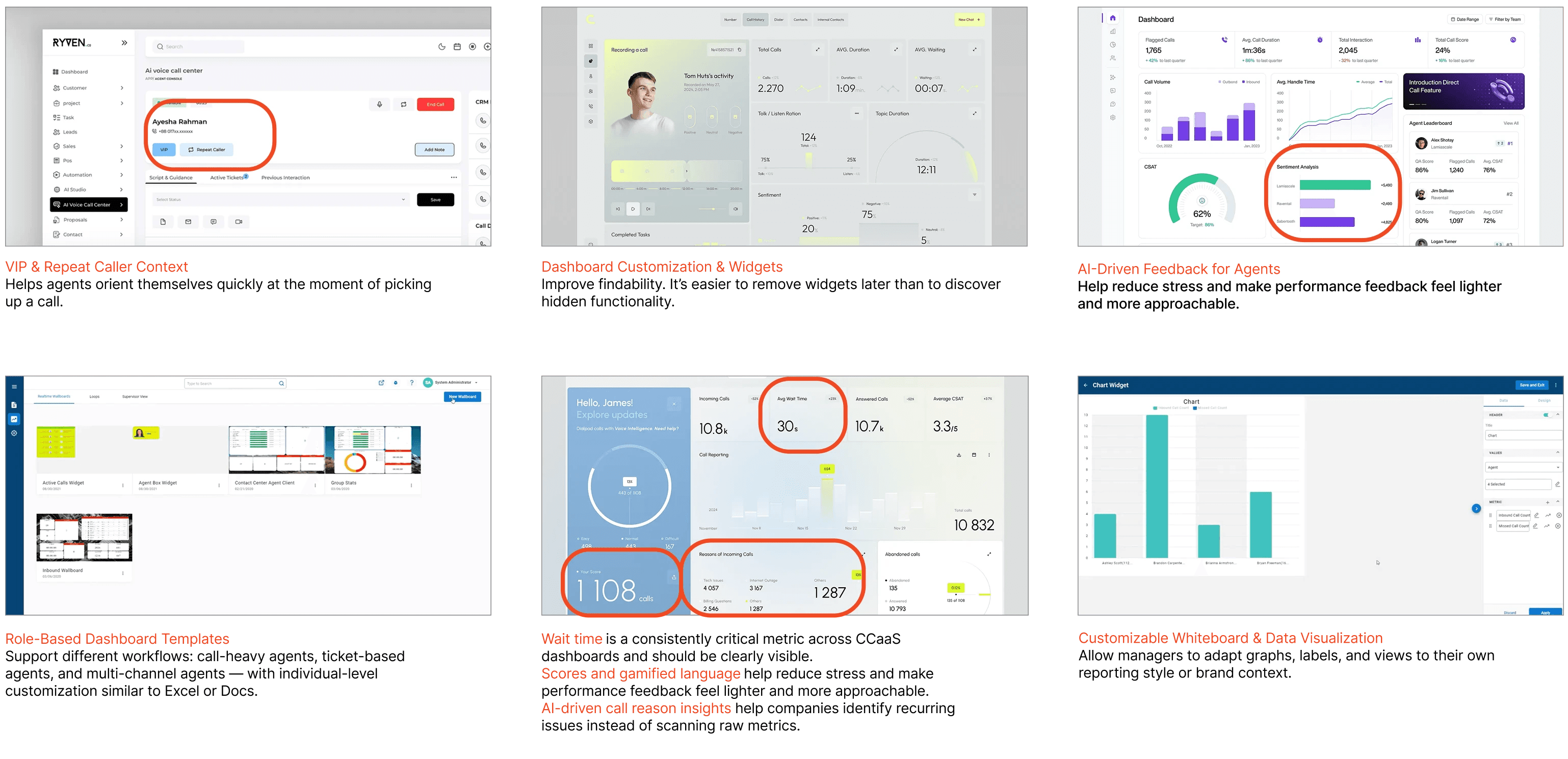
Review — Insights
CCaaS dashboards are shifting from fixed reporting screens to configurable, role-based workspaces. Strong default templates combined with progressive customization improve usability without overwhelming users. Early call context and lightweight performance cues are becoming baseline expectations, while AI is increasingly used to surface patterns and feedback rather than add more metrics.
Design Principles
How might we make the dashboard
fast and frictionless for agents, while making it
easy for managers to review and act on performance?
Efficiency First
Consistency
Data Scan-ability
Reducing clicks for high-frequency agent tasks.
Standardizing UI components across different modules
(Users vs. CDR)
Redesigned the Dashboard with a focus on hierarchy and clarity
Dashboard Redesign
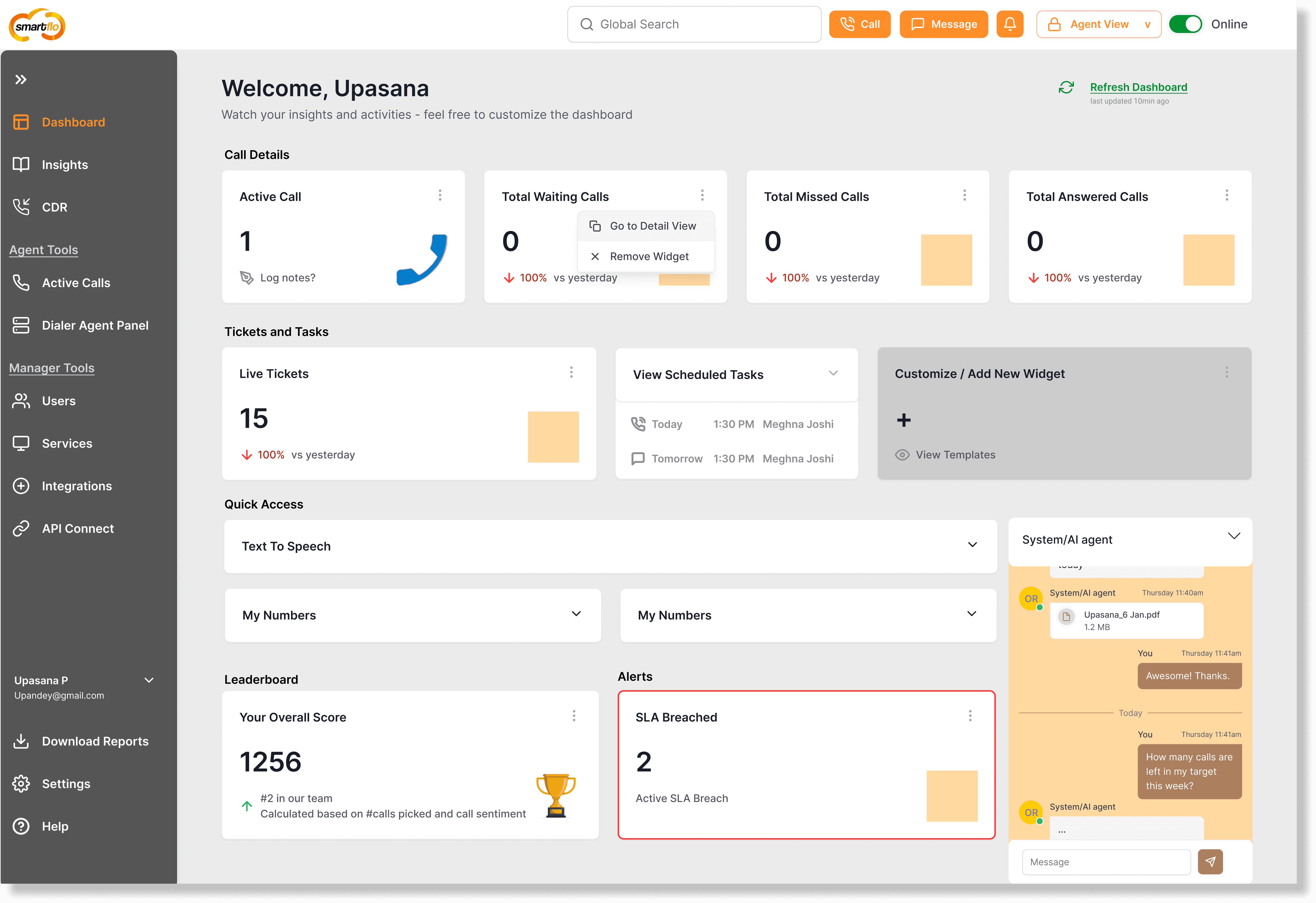
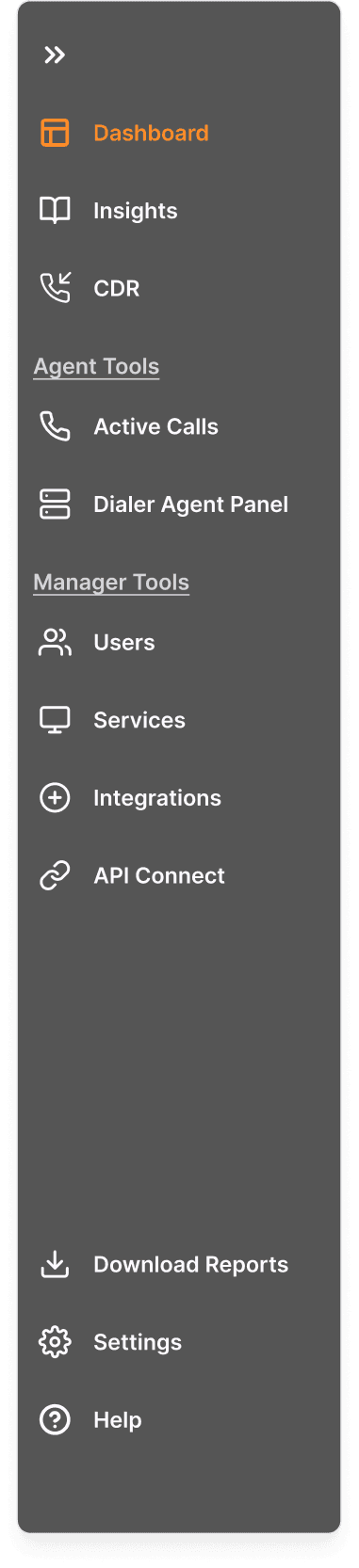
Side Nav Bar Redesign
Page segregation is imperative for quick glance and quick actions
This also creates RBAC segregation in the backend. It is easier to not show specific sections to specific users completely
Having labels next to icons is also important for quick actions
The nav bar can be expanded or collapsible.
Help feature, since it is usually a less integrated tool, it can be pushed into Nav Bar than taking prime real estate of Top Bar
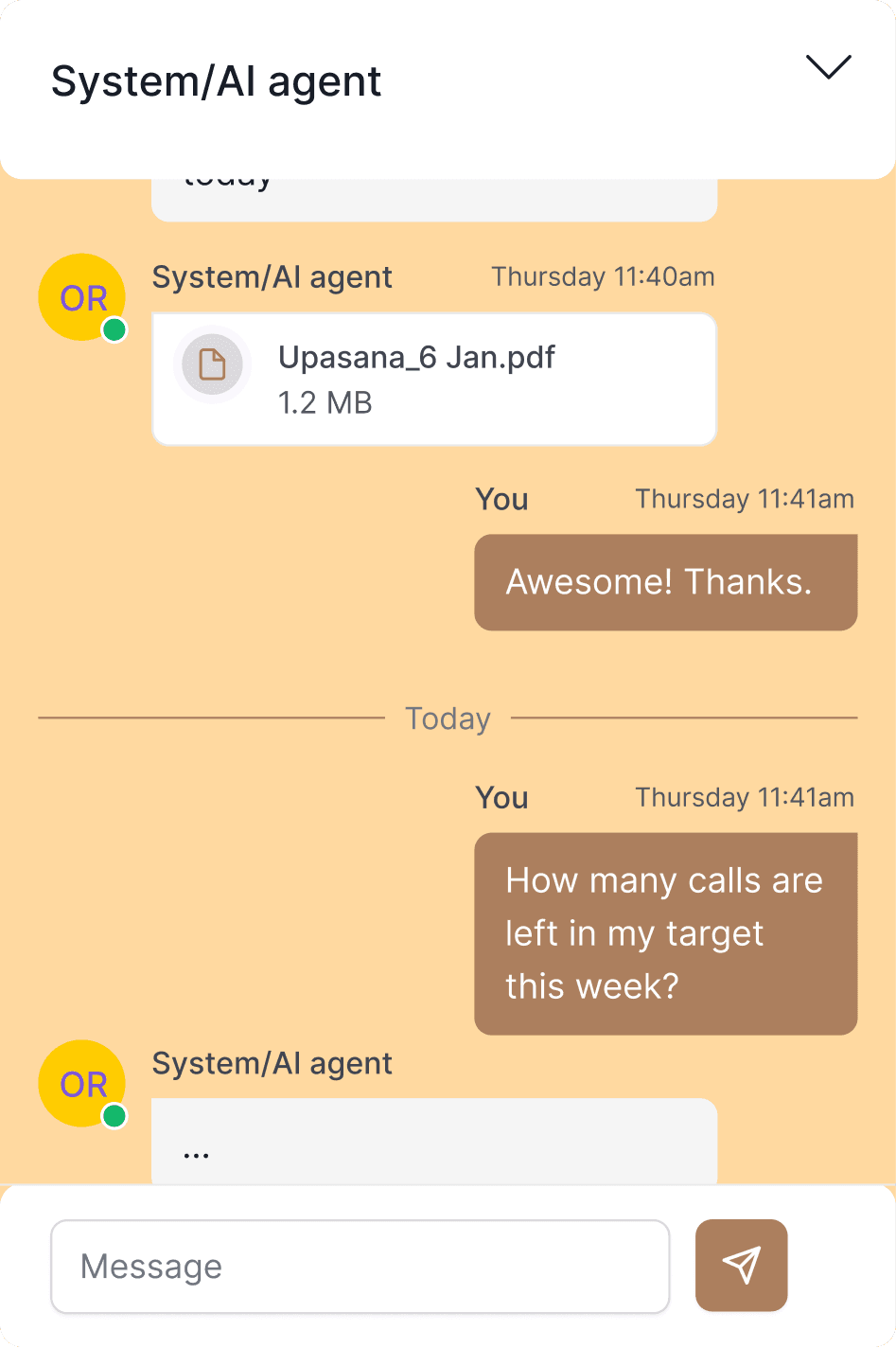
Internal AI Agents
Quick proofs and quick reports can be generated directly through LLM agents integrated within the platform. This also decreases findability issues and focuses on getting task done quickly.
Categorization + Omnichannel features
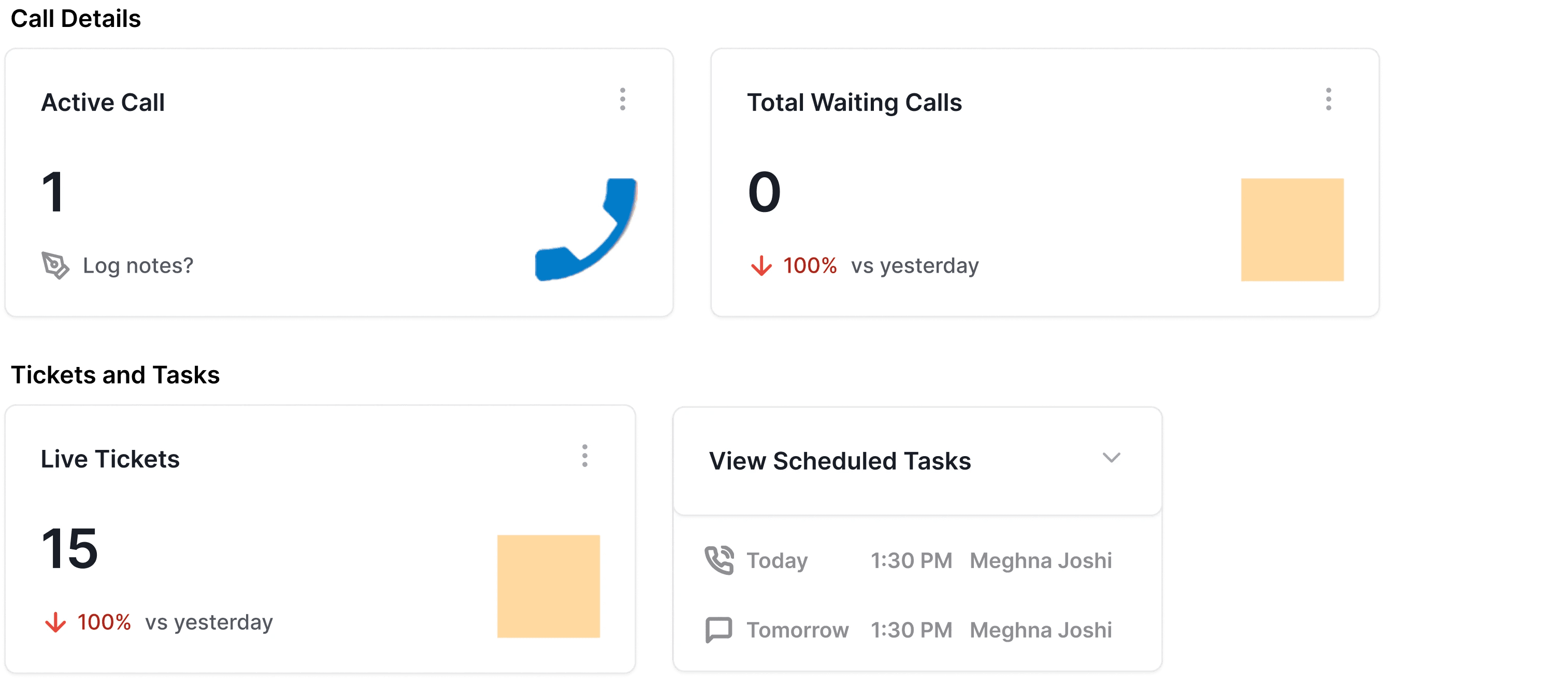
Categorizing added widget into quick groups, helps user focus on the task they are wanting to accomplish immediately rather than searching through names and icons
Pre-showing Tickets and Tasks, guides users on how they can customize the dashboard
Happy UI
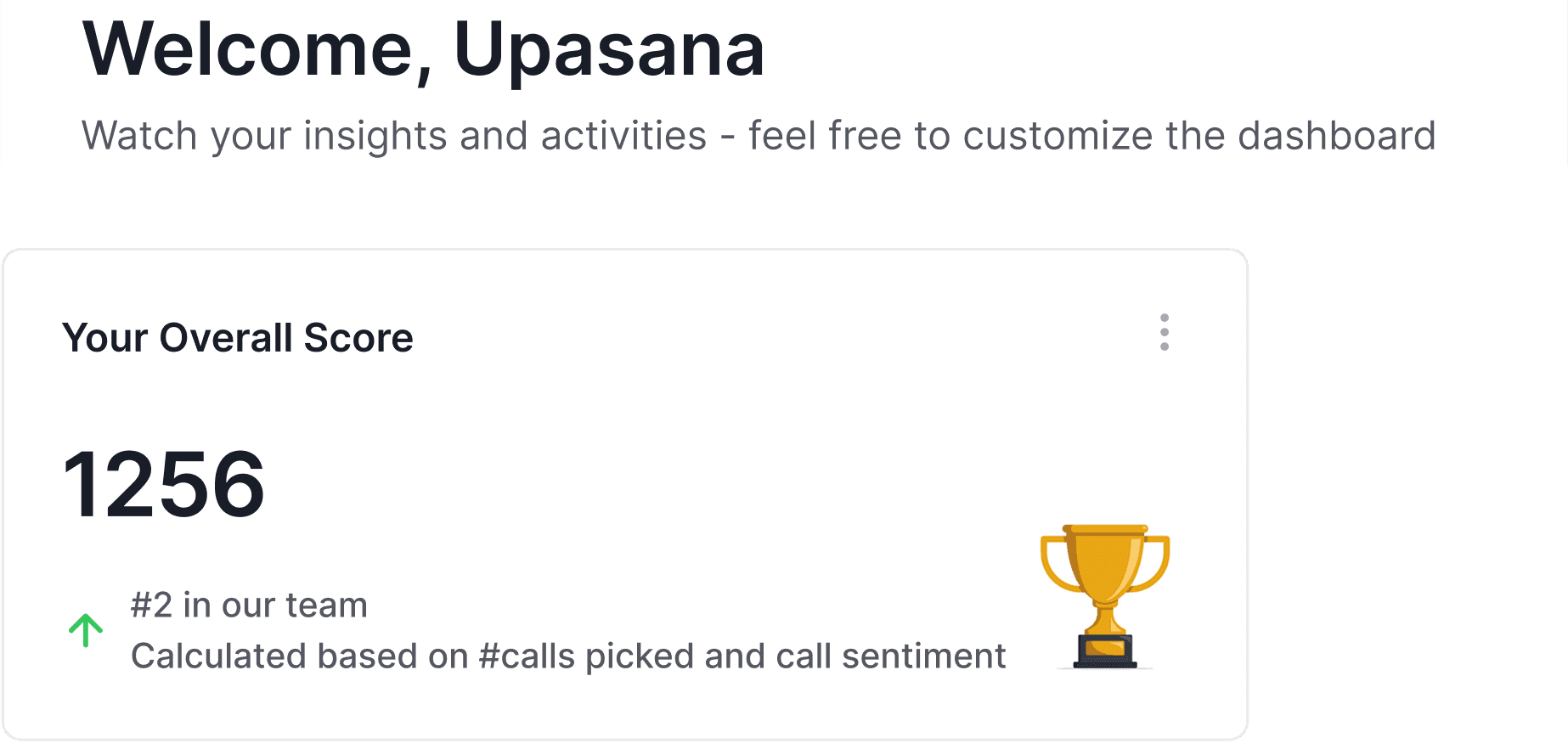
Using light, everyday language, gamifying some aspects is important as our users usally work in high stress environment. Light UX copy and less technical jargon >> too many details
Top Bar Redesign
Search Button
Quick Search is important and in the current UI, search is in the bottom of Nav Bar, that is not the ideal positioning. search should be in a common place
Buttons
Only direct action buttons to be present - like Call, Text or Notification
View Toggle
For Agents, the view is fixed, they need password to change the view
But Manager could easily switch between views
Online/Offline
It is helpful to show that the agents time is been counted right now

More is Less

Since findability is our main painpoint, we can display more widget than an empty screen, users can they customize it down to their liking
View Templates: Smartflo can also have a pre-existing template gallery for custom roles [agents assigned calls vs agents assigned text channels - can be guided to customize their dashbaord]
Customization is key on any CCaaS platforms, so the button should be highlighted and big, rather than being a small primary type button.
Go to Detail View: would take the user directly to CDR/Relevant expanded pages
What Success Looks Like
Operation Speed
Actionable Oversight
Reduced Cognitive Load
System Trust
Agents can resume workflows seamlessly after interruptions and complete calls with fewer navigation steps.
Managers gain clearer visibility into team activity and faster access to call evidence for audits or dispute resolution
The dashboard shifts from a static data display to an actionable workspace, reducing the mental effort required to find key metrics.
Improved confidence in data accuracy and workflow reliability across both Agent and Manager roles.
Future Validation Steps
Usability Testing
Heatmap Analysis
Conduct moderated sessions with actual agents to observe how they navigate the new CDR filters.
Track which dashboard "Quick Access" items are used most frequently to further optimize the layout.
Conclusion
The proposed redesign now bridges the gap between agent productivity and managerial oversight.
For Agents: The interface minimizes "click-fatigue," allowing for faster orientation and seamless task resumption after interruptions.
For Managers: The dashboard shifts from static reporting to an actionable workspace, providing instant visibility into team performance and audit-ready data.